Inside Quis · Research guide
Single Select, Multiple Select or a grid? Five survey formats explained
Choose among Single Select, Multiple Select, Dropdown, Single Grid and Multiple Grid with one customer-support example and practical checks for each format.
By Quis · 4 min read · Published
The instruction ‘choose one’ asks for different evidence from ‘select all that apply’. Putting several questions in a grid changes the task again. These differences matter before a questionnaire is built, because they determine what each recorded answer means.
This guide expands Part 1 of the Inside Quis question-types series. It covers five formats available in Quis: Single Select, Multiple Select, Dropdown, Single Grid and Multiple Grid. We use illustrative service-selection and support examples throughout; the screenshots show real Quis participant components with demonstration questions, not research findings.
Single Select: one answer to one question
Use Single Select when the research needs one response from a set of options. The Quis example below asks: ‘Which factor matters most when choosing a service?’ The options are Price, Ease of use and Customer support.
The phrase ‘matters most’ defines the task. Several factors may matter, but the respondent is being asked to identify one priority. Decide how to handle someone whose main priority is not represented in the list.
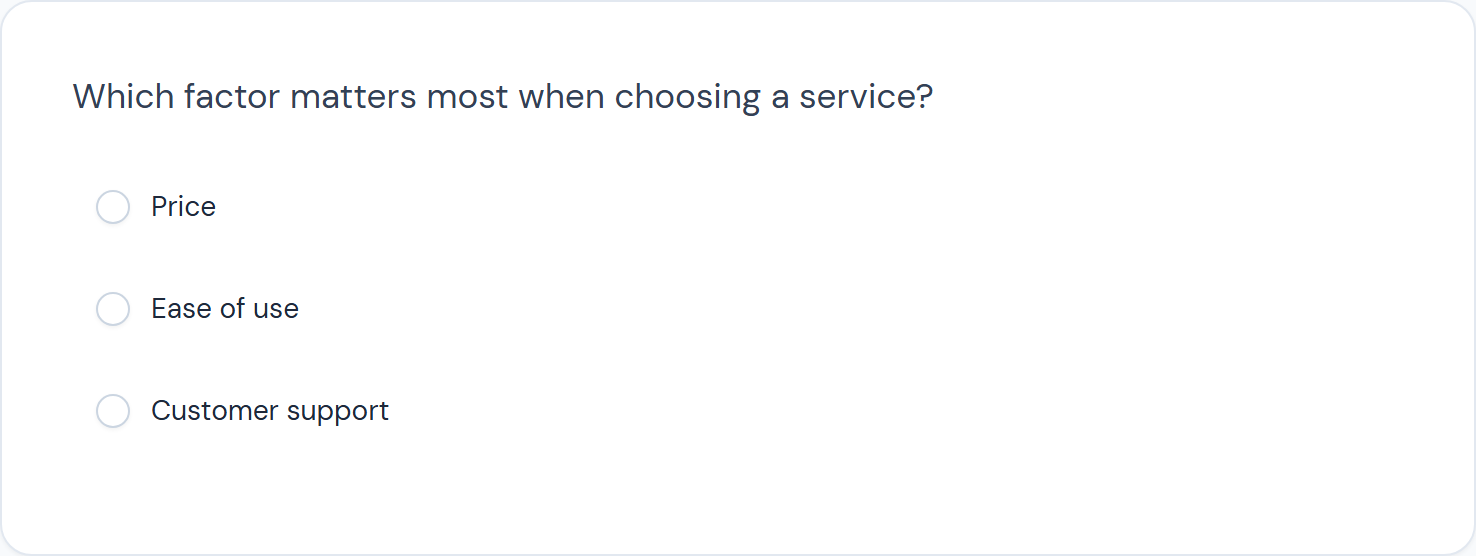
Useful check: Can each respondent identify one answer under the instructions, or are you forcing several valid experiences into a single choice?
Multiple Select: several applicable answers
Multiple Select fits a different question: ‘Which factors matter when choosing a service? Select all that apply.’ The unit is now the respondent’s set of relevant factors, rather than a single top priority.
A person can contribute more than one selection. When reporting percentages, state whether the base is respondents or selections. Percentages based on respondents can add to more than 100% when people may choose several answers.
‘Which did you use?’ and ‘Which do you prefer?’ also ask different things. Keep behaviour and preference separate unless the research deliberately connects them.
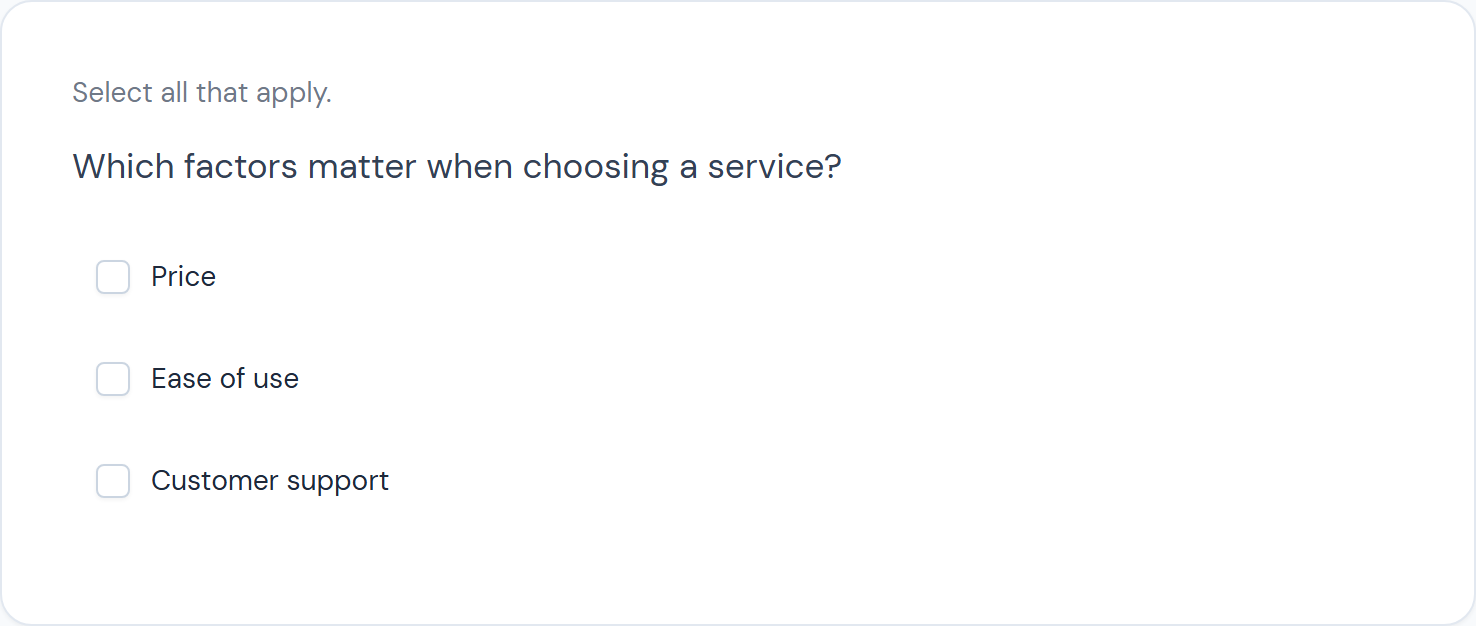
Useful check: Is the selection instruction visible, and have you planned the treatment of a ‘None’ response alongside other options?
Dropdown: a different presentation of a single choice
A single-choice Dropdown can present a longer list within a smaller area. For example, a study might ask which industry a respondent works in. The list still needs an order and labels that respondents can navigate.
Hiding options behind a control does not make an unclear list clearer. Preview how it opens, how the current selection is shown and how it behaves on a phone. For a short list, showing all options as Single Select may make comparison easier in that particular design. Test the choice with the actual task.
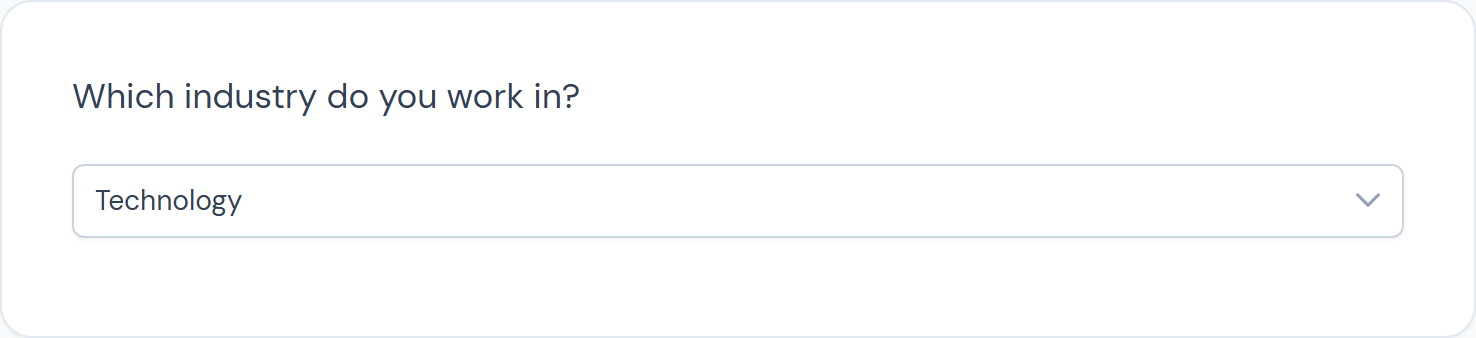
Useful check: Can someone find the right option without guessing what the list contains?
Single Grid: one response for each row
A Single Grid groups several items with shared answer options. The Quis example asks respondents to evaluate Ease of use and Customer support, with one response per row.
Use a common scale only when it makes sense for every item. Avoid mixing an agreement statement, a frequency measure and a satisfaction measure under the same column headings. Also consider whether a respondent has enough experience to evaluate every row.
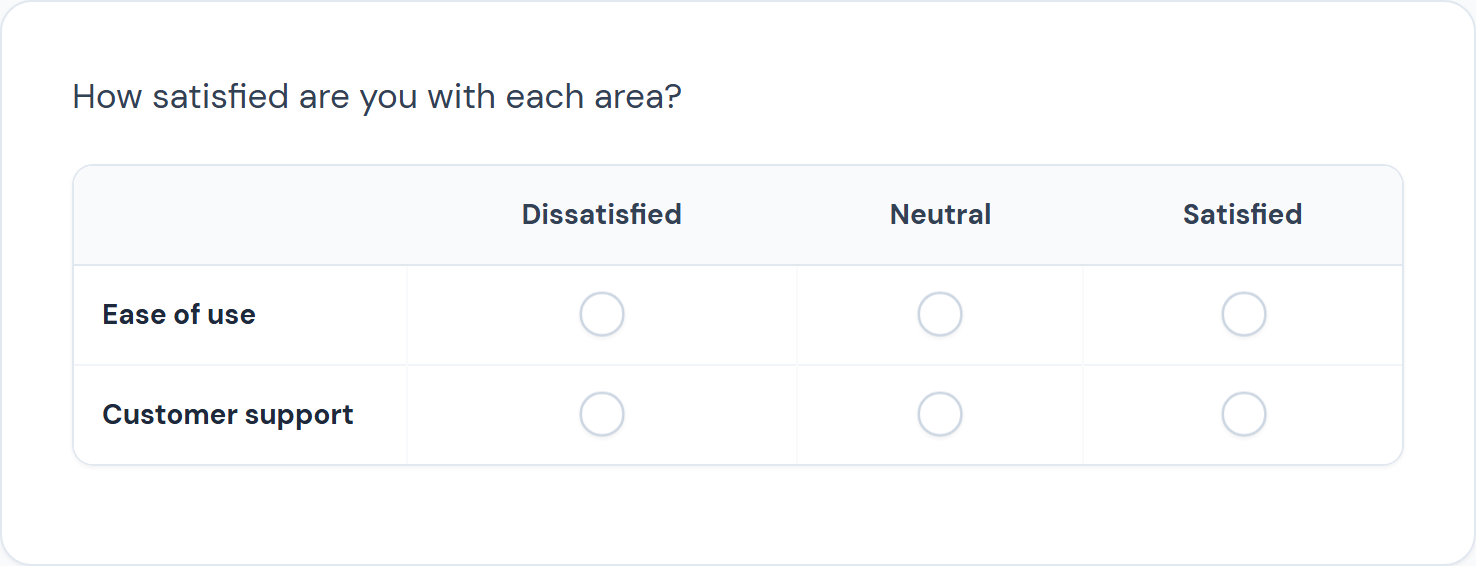
Useful check: Does each row express one idea, and can the respondent see the relevant scale labels while answering?
Multiple Grid: several responses for each row
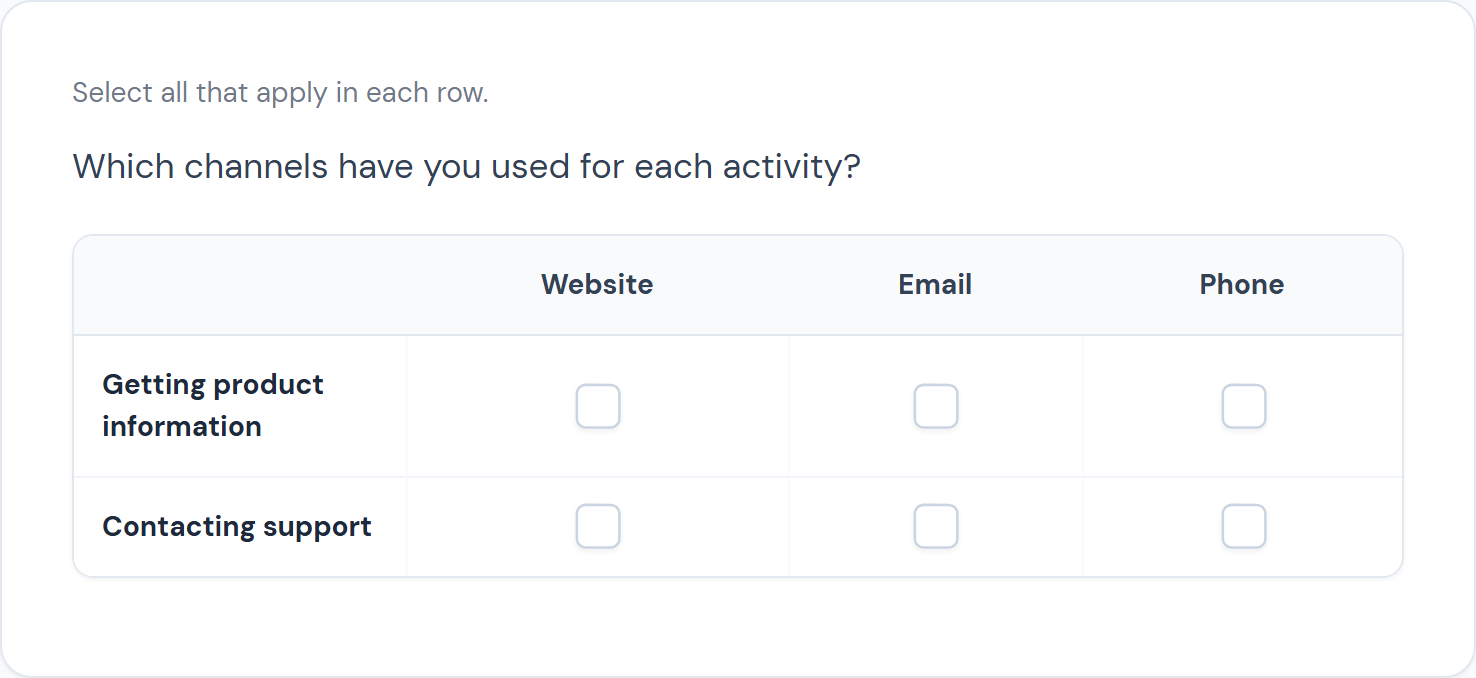
Multiple Grid permits more than one selection within a row. In the Quis example, rows represent tasks: Getting product information and Contacting support. Columns represent channels: Website, Email and Phone. A respondent may select several channels for each task.
The instructions must explain what a row and a column represent. A complex grid can demand more interpretation than separate questions, especially on a small screen. Keep the task short enough to test realistically.
Useful check: Is a grid helping respondents express the relationship, or would separate questions be easier to understand?
Test the task, then review the output
Try representative paths before collecting the full study. Include someone who used only one channel, someone who used several and someone for whom none of the listed experiences applies. Review both the respondent screen and the resulting data structure.
Methodological guidance from Pew Research Center, AAPOR and the Government Analysis Function supports clear wording, suitable response options and questionnaire testing. It does not establish a universal best format: the appropriate task depends on the study and its respondents.
In Quis, build a small version using these five formats and preview it. Ask a colleague to explain how they interpreted each question before you show them the intended meaning. That conversation can reveal assumptions hidden in the instructions. Explore the Quis research workflow or arrange a demo.